Note
This post assumes that you've already decided to use GraphQL. There's a great discussion to be had about whether GraphQL is the best choice in the first place, and I'm planning on writing a post that dives into that discussion (spoiler alert: I'll be talking about tRPC 😉).
One of the main advantages of using GraphQL as the API layer in an application is the expansive ecosystem of packages that can help enable end-to-end type safety. In this post, we’re going to focus on client-side type safety and will follow-up in the next post on server-side type safety. With both in place, we’ll see how changes to types trigger the proper compile-time warnings so that we avoid runtime issues.
For a more in-depth explanation of what end-to-end type safety is and why it’s important, check out this description. Ultimately, we want to have one source of truth for our types across the entire application. Changes to that single source of truth should propagate to the rest of the application, and compile-time checks should warn us if we’ve deviated from that source of truth.
To illustrate how we can achieve end-to-end type safety, we’re going to build a very basic application that tracks information about books. A dramatically simplified version of our GraphQL schema might look something like this:
type Book {
  id: String!
  title: String!
  author: String!
}

type Query {
  books: [Book!]!
}
Setting up an Apollo Server
I know I said we were going to focus on the client in this post, and we mostly will! But first we need to get a bare-bones GraphQL API server setup. We’ll revisit this in much greater detail in the next post, so don’t worry if it seems half-baked. Follow the steps below to initialize the app.
- Create a new directory called
graphql-typesafety. Create aserverdirectory withingraphql-typesafetyan initialize it as an NPM packagemkdir -p graphql-typesafety/server && cd graphql-typesafety/server npm init - Install the following dev dependencies:
typescript,@types/node,ts-node,nodemon - Install the following dependencies:
graphql,@apollo/server - Add a
tsconfig.jsonfile at the root of the project with the following configuration options.
{
  "compilerOptions": {
    "rootDirs": ["src"],
    "outDir": "dist",
    "lib": ["es2020"],
    "target": "es2020",
    "module": "esnext",
    "moduleResolution": "node",
    "esModuleInterop": true,
    "types": ["node"]
  }
}- In
package.json, set thetypeproperty tomodule.
Next, we’ll create a basic GraphQL server in src/index.tsx.
import { ApolloServer } from "@apollo/server";
import { startStandaloneServer } from "@apollo/server/standalone";

const typeDefs = `#graphql
  type Book {
    id: ID!
    title: String!
    author: String!
  }

  type Query {
    books: [Book!]!
  }
`;

const books = [
  {
    id: 1,
    title: "Mistborn",
    author: "Brandon Sanderson",
  },
  {
    id: 2,
    title: "Leviathan Wakes",
    author: "James S. A. Corey",
  },
  {
    id: 3,
    title: "Red Rising",
    author: "Pierce Brown",
  },
];

const resolvers = {
  Query: {
    books: () => books,
  },
};

const server = new ApolloServer({
  typeDefs,
  resolvers,
});

const { url } = await startStandaloneServer(server, {
  listen: { port: 4000 },
});

console.log(`Server ready at: ${url}`);
Run the following command to start the server.
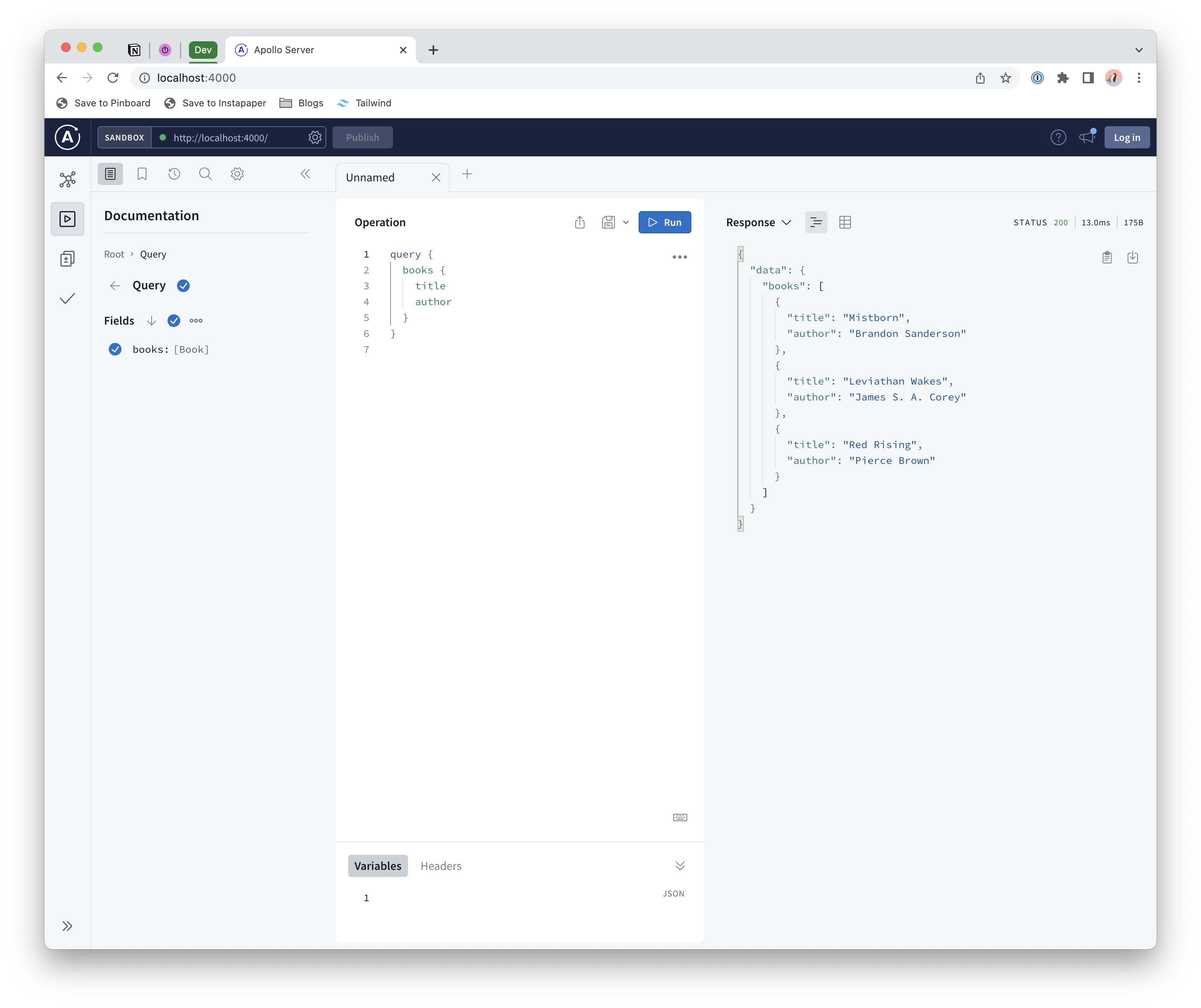
npx nodemon './**/*.ts' --exec 'node --experimental-specifier-resolution=node --loader ts-node/esm' src/index.tsWith the server running, navigate to localhost:4000 in your browser and should see the Apollo Sandbox, which is an integrated environment where we can interact with our GraphQL data. Run a sample query to verify that everything is working as expected.
Now that we have a basic GraphQL server up and running, let’s jump over to the frontend. We’ll revisit the backend later on and build out a much more full-featured implementation.
Frontend Implementation
Initial Setup
In the graphql-typesafety project directory, we’re going to create a new sub-project for our client app using Vite. Follow the Vite documentation to initialize a new TypeScript React project called client.
Note
if package.json includes a "type": "module declaration, remove it.
Next, install the following dependencies: graphql, @apollo/client
Once the dependencies have been installed, create a file called src/lib/getApolloClient.ts - this will be used to retrieve a shared Apollo client instance.
import {
  ApolloClient,
  InMemoryCache,
  NormalizedCacheObject,
} from "@apollo/client";

let client: ApolloClient<NormalizedCacheObject>;

export const getApolloClient = (forceNew?: boolean) => {
  if (!client || forceNew) {
    client = new ApolloClient({
      uri: "http://localhost:4000",
      cache: new InMemoryCache(),
    });
  }

  return client;
};
The Apollo client configuration is pretty straightforward; we only provide two configuration options:
uri- Refers to the URI of our GraphQL server (assumes the server is running on port 4000)cache- Specifies the type of client cache to use. See additional details onInMemoryCachehere and a general overview of Apollo Client caching here.
Next, we’ll create a component that will be used to query and display data from our GraphQL server. Create a new file called Books.tsx and add the following boilerplate; we’ll revisit this and build it out further shortly.
export const Books = () => {
  return <div>books</div>;
};
In App.tsx, we’ll retrieve the Apollo client and pass it to the ApolloProvider component that will wrap our application; this enables us to use the Apollo client hooks (i.e. useQuery).
import { ApolloProvider } from "@apollo/client";
import "./App.css";
import { Books } from "./Books";
import { getApolloClient } from "./lib/getApolloClient";

function App() {
  const client = getApolloClient();

  return (
    <ApolloProvider client={client}>
      <div className="App">
        <Books />
      </div>
    </ApolloProvider>
  );
}

export default App;
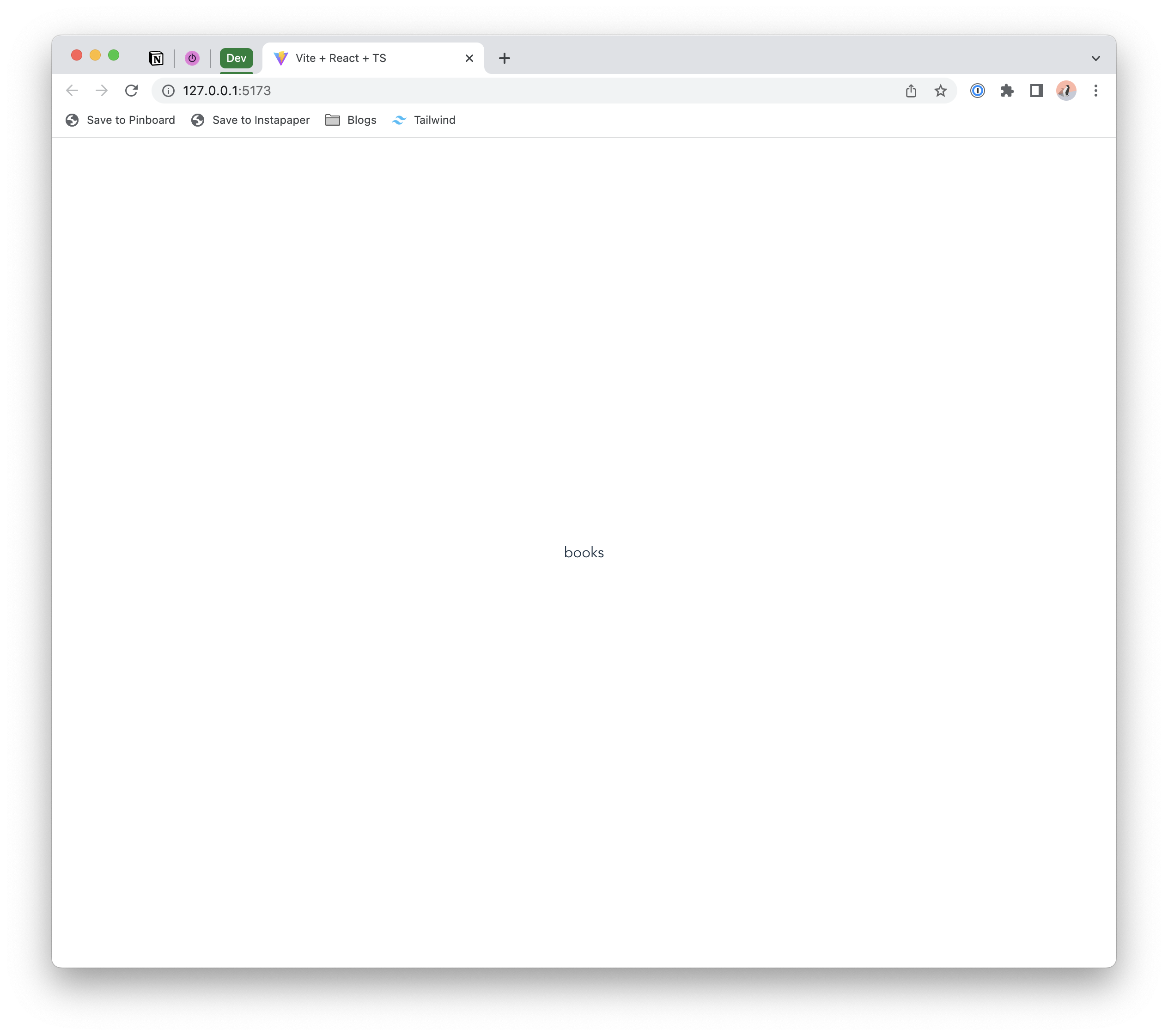
To verify that everything is working as expected so far, run npm run dev from within the client directory. A message should be printed specifying the URI of the client app, and visiting that URI should display a page like below.
Querying Data
Our client app is up and running, but it’s not really doing anything interesting yet. Let’s wire it up to our GraphQL server and start querying data. Modify Books.tsx as follows:
import { gql, useQuery } from "@apollo/client";

const BooksQuery = gql`
  query BooksQuery {
    books {
      id
      title
    }
  }
`;

export const Books = () => {
  const { data, loading } = useQuery(BooksQuery);

  if (loading) return <p>Loading...</p>;

  return (
    <div>
      <ul>
        {data?.books.map((book) => {
          return <li key={book.id}>{book.title}</li>;
        })}
      </ul>
    </div>
  );
};- Lines 3-10: Define the GraphQL query that will be executed
- Line 13: Use the Apollo client
useQueryhook to execute the query - Lines 20-22: Iterate over the list of returned books
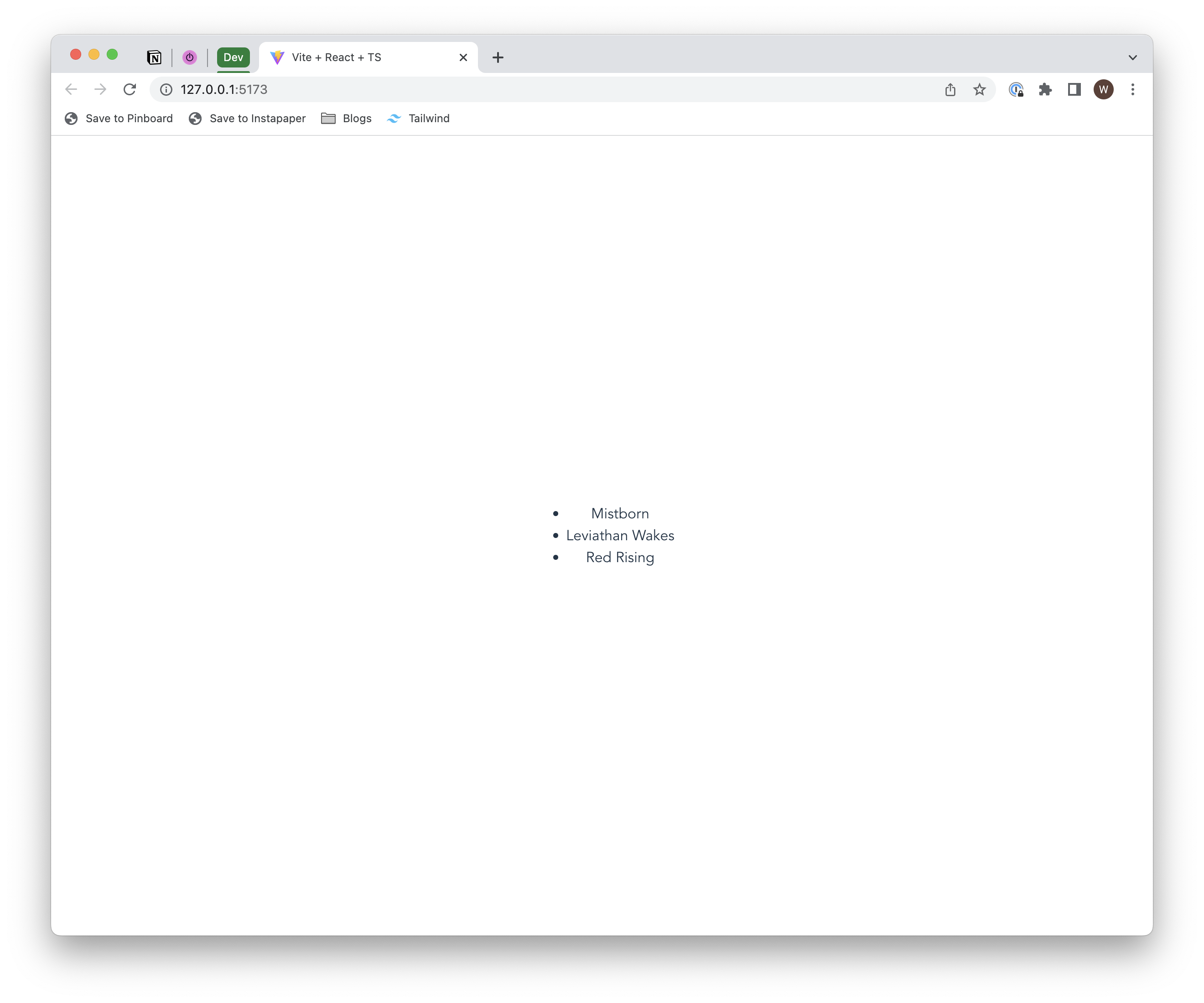
When you refresh the page, you should see a list of books.
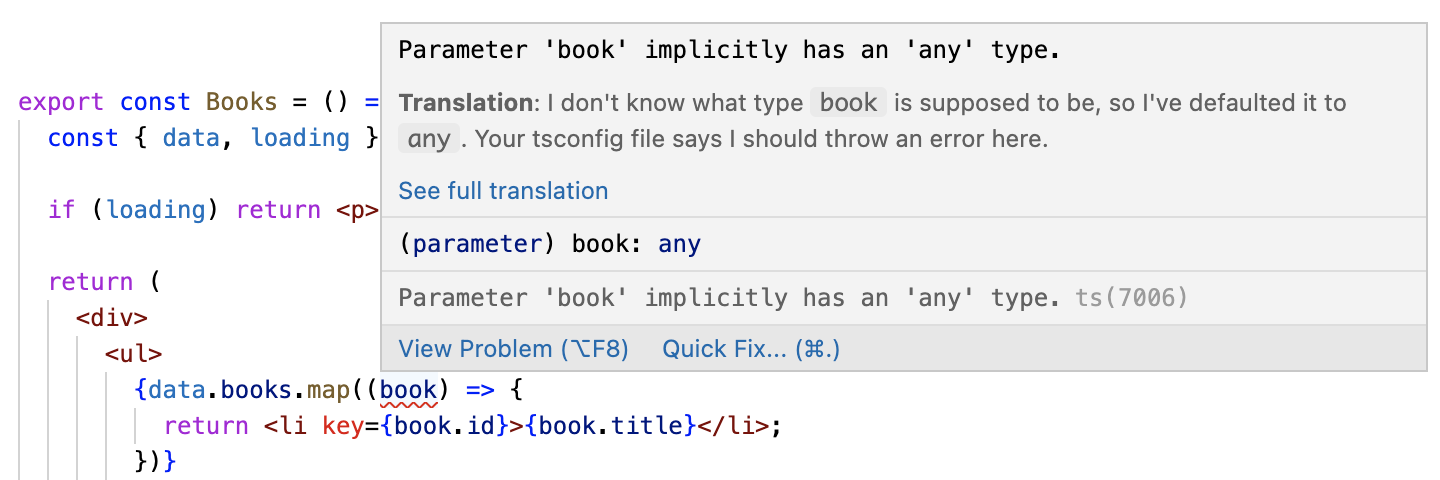
 While this works as expected, there’s one big problem that you may have noticed while updating the
 Books component. The data returned by the useQuery hook is typed as any, so we’re blind to the shape of the actual returned data. Our page still renders without issue, but it adds some friction to the development experience and defeats the purpose of using TypeScript. Ideally, we’d know the type of the returned data so that we don’t have to make any guesses about what properties are available.
Let’s take a look at the useQuery function signature to understand why we’re not getting any type information.

As you can see, useQuery accepts a query parameter that is either a DocumentNode or a TypedDocumentNode. Additionally, it accepts an optional type parameter called TData. If you check the type of our BooksQuery variable, you’ll see that it’s a DocumentNode with no type provided for the TData type parameter.
Based solely on the names of the parameter type options, it would seem that we just need to replace our DocumentNode with a TypedDocumentNode, but take a look at the return type of the hook and you’ll see that it uses the optional TData generic type. This is the critical element required to getting a fully-typed response; we need to somehow provide a value for that generic type parameter that matches our query response shape.
For that, we’ll need to use the GraphQL Code Generator package.
GraphQL Code Generator
GraphQL Code Generator is an extremely useful package that will automatically generate typed queries that we can use with useQuery. Let’s add it to our app, and I’ll explain what’s going on along the way.
First, install the following dependencies:
@graphql-codegen/cli@graphql-codegen/client-preset@graphql-codegen/gql-tag-operations-preset@graphql-codegen/introspection
Next, we need to initialize our project by running npx graphql-codegen init. After running that command, select the folowing prompts:
- What type of application are you building? Application built with React
- Where is your schema? http://localhost:4000 (default option)
- Where are your operations and fragments?
src/**/*.tsx(default option) - Where to write the output?
src/gql(default option) - Do you want to generate an introspection file?
N - How to name the config file?
codegen.ts(default option) - What script in package.json should run the codegen?
codegen(default option)
Once the initialization is complete, you should see a codegen.ts file in the client project directory that looks as follows.
import type { CodegenConfig } from "@graphql-codegen/cli";

const config: CodegenConfig = {
  overwrite: true,
  schema: "http://localhost:4000",
  documents: "src/**/*.tsx",
  generates: {
    "src/gql/": {
      preset: "client",
      plugins: [],
    },
  },
};

export default config;- Line 4: Overwrite previously generated type definitions whenever codegen is run
- Line 5: The location of our GraphQL server so that our queries can be validated against the schema
- Line 6: Where to look for GraphQL queries and mutations. Make sure there’s a trailing
/aftergql. It’s not added automatically, but is required.
Additionally, a new script called codegen should have been added to your package.json; when run, this will generate TypedDocumentNode’s for all of the GraphQL queries and mutations in the project.
Let’s run the codegen script to make sure that everything is working so far. In a terminal, run npm run codegen. You should see a successful output in the terminal indicating that the configuration was parsed and outputs generated. You should also see a new gql directory under src with several files. Open the gql.ts file and you’ll see a documents object with the BooksQuery that was defined in the Books component.
Now that we have our generated queries, let’s revisit Books.tsx and update our call to useQuery by replacing BooksQuery with BooksQueryDocument (BooksQueryDocument will need to be imported from ./gql/graphql). As soon as you make that change, you’ll see the type errors dissapear. If you hover over the book variable in the map operation, you’ll see that it now has type information!
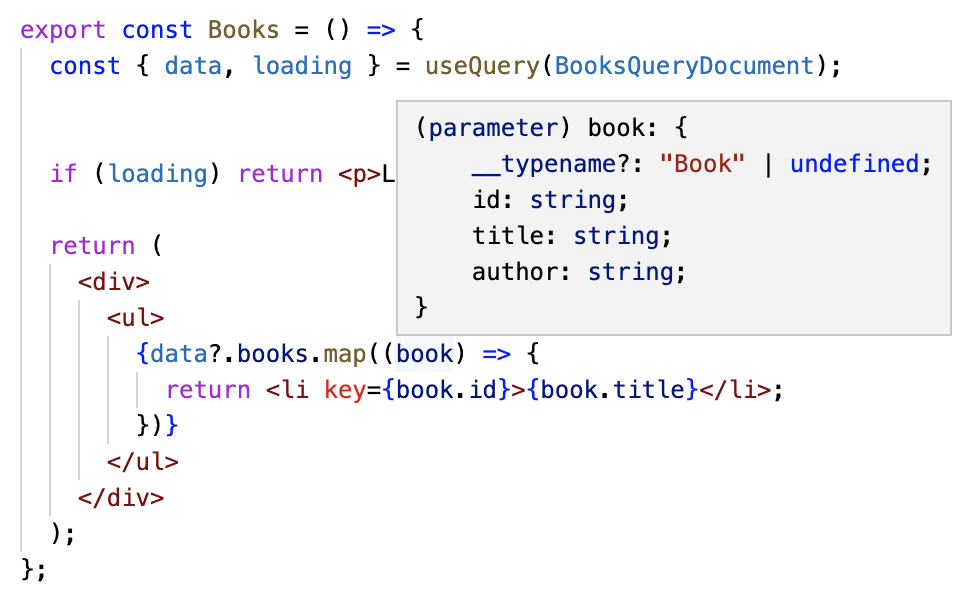
Let’s review what happened to make this possible:
- First, we added the GraphQL Code Generator package and configured it to look for GraphQL queries in our project (this is setup in the
codegen.tsfile’sconfigobject under thedocumentsproperty). - Next, we ran the codegen script, which searched for queries in our project and used our GraphQL schema to generate several things, including a
BooksQueryDocumentwhich we’ll explore in more detail shortly. - Finally, we updated our component to use
BooksQueryDocumentinstead ofBooksQuery.BooksQueryDocumentwas automatically generated by GraphQL Code Generator, and it contains the query return type details.
A Deeper Dive into the Apollo Client API & GraphQL Code Generator
To get a better sense of what GraphQL Code Generator is doing and how it helps get us the type information we need, we need to step back and make sure we understand the Apollo Client useQuery hook.
Earlier, we looked at the signature of useQuery and observed that it accepts a query argument that can either be a DocumentNode or a TypedDocumentNode. The hook has two generic type parameters; TData and TVariables, and its return type is a QueryResult<TData, TVariables>. The TData and TVariables type parameters of the return type are the same type parameters that are provided to the hook.
If you look at the type definition of QueryResult, you shouldn’t be surprised to see all of the properties that we can access when calling useQuery. Furthermore, the type of the data property is TData. So the TData generic type parameter of useQuery is what’s used as the type of the returned data.
Back in Books.tsx, if you hover over the BooksQueryDocument variable, you’ll see that it’s a DocumentNode whose TData generic parameter is of type BooksQueryQuery. In the auto-generated gql/graphql.ts file, you’ll see the type definition for BooksQueryQuery:
export type BooksQueryQuery = {
  __typename?: "Query";
  books: Array<{ __typename?: "Book"; id: string; title: string }>;
};
At this point, you might be wondering about the type of BooksQueryDocument; it’s a DocumentNode, but it has the same generic type parameters as TypedDocumentNode 🤔. In our earlier analysis of these types, DocumentNode clearly didn’t have any generic type parameters. Open gql/graphql.ts again (where BooksQueryDocument is defined) and take a look at the imports section. You should see this line:
import { TypedDocumentNode as DocumentNode } from "@graphql-typed-document-node/core";Mystery solved - GraphQL Code Generator is just aliasing TypedDocumentNode as DocumentNode.
Brief Review
The key point here is that we’re specifying the return type of useQuery by providing it as a type parameter of the query that we provide as an argument. We’re doing this without even realizing it because we’re leveraging the power of GraphQL Code Generator, which is looking at our query and automatically determining the type of the response. Here’s a simplified explanation of how it does that.
- First, it scans our code to find all GraphQL queries.
- Once a query is found, it’s parsed to ensure that it’s valid (i.e. the type and fields we’re querying actually exist in the GraphQL schema).
- Assuming the query is valid, a TypeScript type will be generated that is compatible with the query return type. In our
BooksQueryexample, this is pretty simple; it’s just an array of objects containing two properties;idandtitle. It knows the type of each property because it has access to the GraphQL schema.
Simplifying our Code
As it currently stands, there’s a three-step process that we need to follow in order to get type information for our queries:
- Write a query in a component and store it in a variable (we could also write queries in dedicated
.gqlfiles and configue GraphQL Code Generator to look for queries there). - Run the codegen script to generate types and one or more query documents.
- Update the
useQueryinvocation by passing in the generated query document as an argument.
Three steps isn’t too bad, but we can do better. GraphQL Code Generator provides a utility that can simplify this process. In Books.tsx, replace the current query with the following:
import { graphql } from "./gql";

const BooksQuery = graphql(/* GraphQL */ `
  query BooksQuery {
    books {
      id
      title
    }
  }
`);
The only thing that’s changed is that we’ve replaced the gql function with a new function called graphql that comes from the GraphQL Code Generator auto-generated files. This function returns a TypedDocumentNode based on the provided query. Now, you can update the useQuery call by replacing BooksQueryDocument with BooksQuery.
Since we already have updated types and query documents, we can make this change without re-running codegen. But what happens when we modify our query? Add the author field to the property list and you’ll see that we immediately get some more type errors; our BooksQuery is now unknown. Instead of re-running codegen every time we modify a query, we can modify the script in package.json by setting it to run in watch mode. Update the codegen script in your package.json by adding the --watch option:
"codegen": "graphql-codegen --config codegen.ts --watch"After making that change, run the codegen script and you’ll see that it spins up a persistent process that waits for changes to be made. Back in Books.tsx, the type errors should be gone. If you update the query by adding/removing a field, you’ll see that the codegen process runs because changes to a query have been identified.
Running graphql-codegen in watch mode is extremely useful and helps enable faster iteration without being concerned with manually refreshing the autogenerated files.
Summary
We just went over a lot of information, so let’s step back and review what we’ve accomplished at a high level. Our primary goal is to write code that is unambiguous and error-free. Specifically, when interacting with an external API, we want to be confident in the data that we’re receiving so we know what we can do with it. We need to be able to answer questions like:
- What fields exist on this object that’s returned?
- Will this field always have a value, or can it be null?
GraphQL solves part of the problem; it provides a schema that serves as the source of truth for the entire application. The schema can be thought of as a contract between the frontend and backend; if the frontend requests data, it’s guaranteed that the shape of the data is predictable. The frontend doesn’t need to guess which fields are available, or the data type of the available fields.
TypeScript and the GraphQL Code Generator package solve the other part of the problem (on the frontend, at least). Assuming you’re using a modern IDE like VS Code, you’ll get immediate feedback in your editor when working with data retrieved from GraphQL; intellisense will show you which fields are available on the object you’re working with, as well as the data types of those fields.
In the next post, we’ll see how we can get type safety on the backend, ensuring that our database schema, types, and GraphQL schema are all in sync.
Resources
- GitHub repository - The
part-1branch contains everything covered in this post.