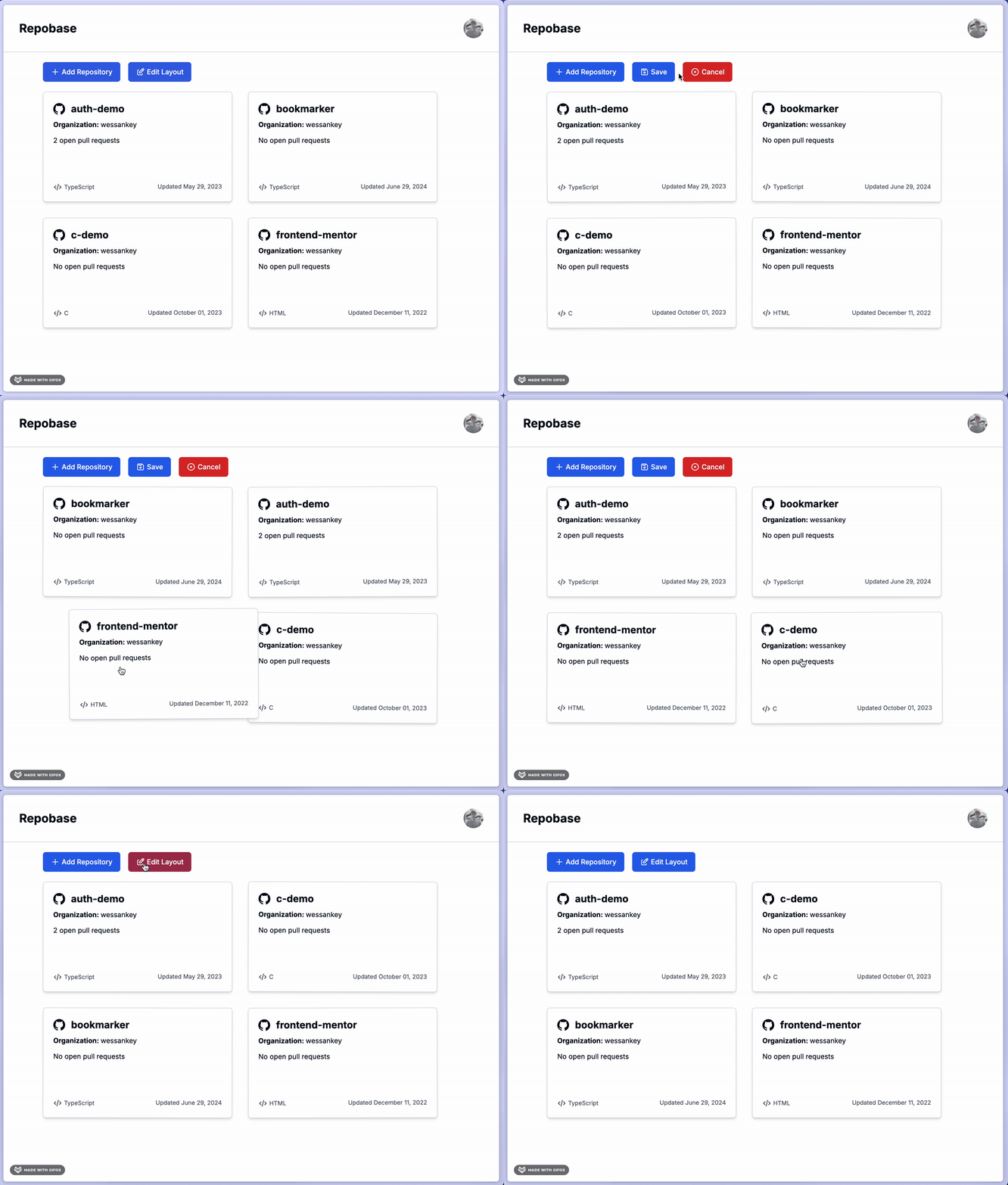
I’ve been working on a side project that I’ve tentatively named Repobase. It’s an app that provides a dashboard for displaying your commonly accessed GitHub repositories with important information, such as the number of open pull requests, last updated date, etc. I recently implemented functionality to reorder the repositories on the main dashboard page using the @dnd-kit package. Below is a screen recording of the functionality in use.
For the purposes of simplifying the illustration for this post, I recreated the core functionality in sample repo here (checkout the start branch).
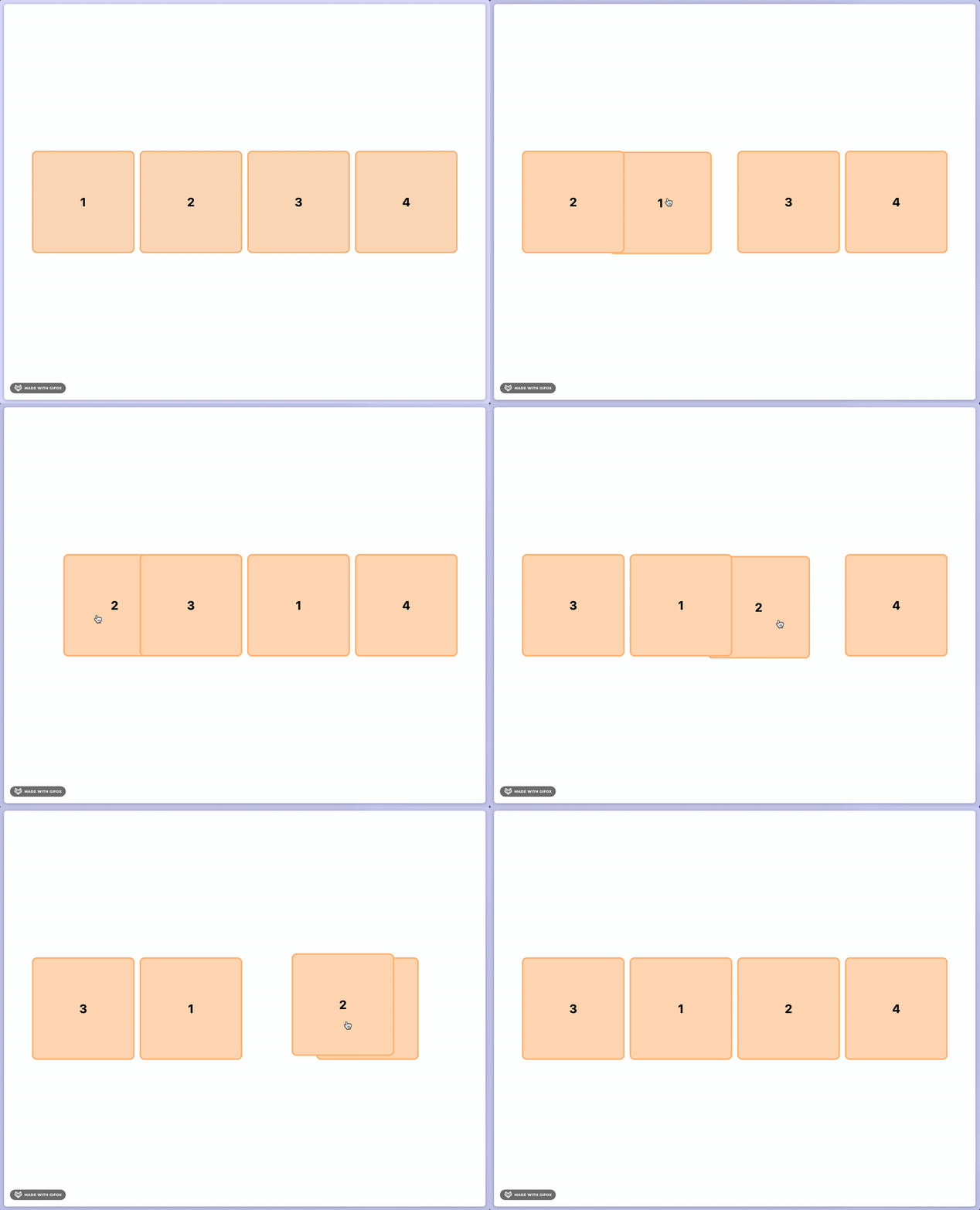
You might notice something interesting going on in the example above. When dragging a card to the right, it appears under subsequent cards. When dragging a card to the left, it appears over preceding cards. Ideally, a card would appear over any card while it’s being dragged, but the default behavior of dnd-kit is what’s observed above.
This seemed like something that should be easy enough to configure in the dnd-kit setup, but the documentation yielded no results. Next, I checked their GitHub repo to see if any issues had been raised on this, but unfortunately there were no related issues.
Bound and determined to resolve this minor annoyance, I noticed that dnd-kit has a Storybook page with an example that demonstrated the exact behavior I desired. The Storybook code is included in their main GitHub repo, so I cloned it down to see if I could reverse-engineer the example and understand how to replicate it. Unfortunately, I couldn’t get Storybook to run locally and the example code didn’t provide any immediately obvious clues. I admittedly didn’t spend much time with this approach, but I likely would’ve revisited it had my next attempt produced no successful outcome.
As a last resort, I decided to see if AI could help. I prompted Claude (my current favorite AI assistant) with the following:
I’m building a React app that has a set of horizontally-ordered card elements that can be re-ordered using the dnd-kit package. When a card is dragged to the right, it appears under the subsequent card. How can I make it so that it appears over the subsequent card?
Claude gave me an answer that almost exactly solved my problem, and I was slightly embarassed by how obvious it was. Here’s the first part of the response.
First, ensure you’re using the correct CSS for your draggable items. You’ll want to use z-index to control which elements appear on top of others.
Of course. The answer was so simple - how do you control the ordering of overlapping elements in CSS? z-index! I was stuck trying to find some clever configuration controlled directly by the library that I was temporarily blinded to the simplest solution. The fix required one small change; set the z-index of the element being dragged.
const style = {
  transform: CSS.Transform.toString(transform),
  transition,
  zIndex: isDragging ? 1 : "auto",
};
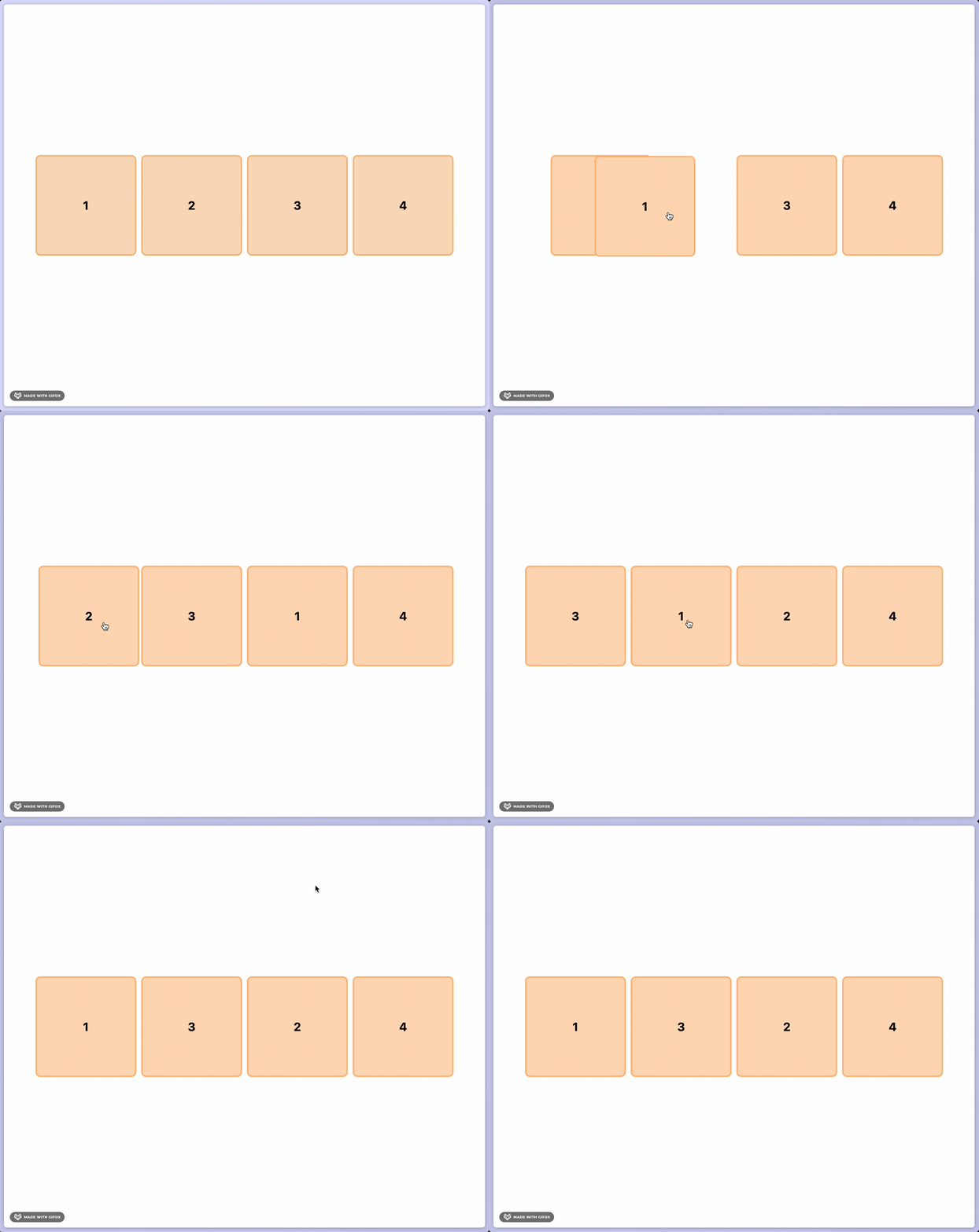
With that one small change, it worked exactly as I needed.
Lesson Learned
When working with libraries and frameworks, it’s easy to get caught up in turning the knobs and dials exposed by the framework to accomplish something. But posessing a deep understanding of the fundamental principals of the tools we work with (CSS in this case) helps to avoid over-indexing on finding some obscure (or non-existant) configuration option to solve some problem.
This is a textbook example of Occam’s razor, the philosophical principal that “the simplest solution is probably the best one”.
It’s often helpful and important to re-frame the question you’re asking. I was initially asking “how can I accomplish this using the library”, but the base level question was simpler; “how can I control the ordering of elements on the z-index of the page”. Had I started with that second question, I would’ve saved a lot of time.